Extensions
Updated on 2026-11-09 · Estimated reading time: 2 minutes
MCP
MCP lets agents connect to external tools, data sources, and business systems. With MCP, DeepWorks can read context and perform operations within the scope authorized by the user.
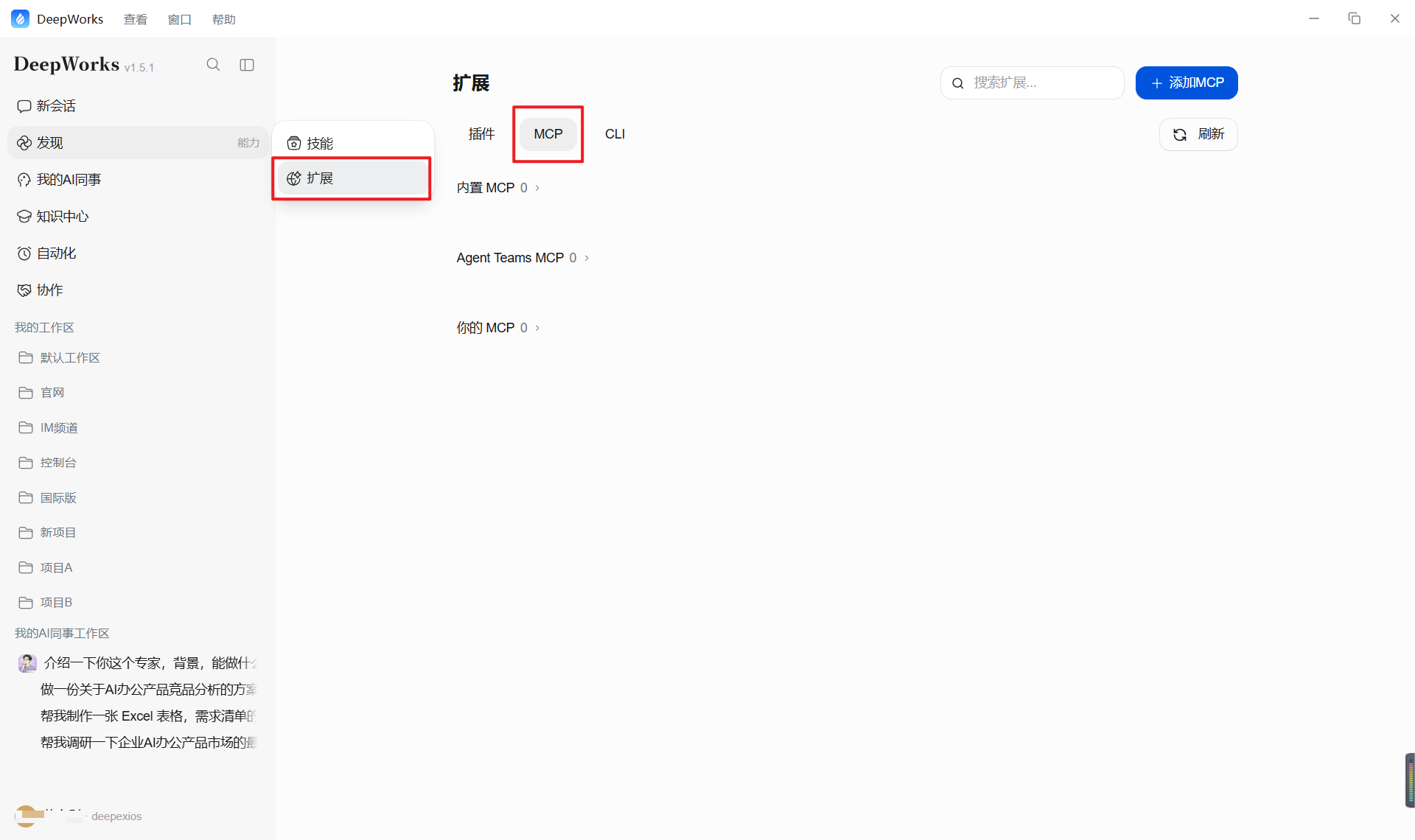
Common scenarios
-
Read project files.
-
Query business data.
-
Call internal system APIs.
-
Connect design, documentation, code, and automation tools.
Usage principles
-
Connect only to trusted services, and clearly define the data they can access.
-
Review tool descriptions and required permissions before calling a tool.
-
Require human confirmation for writes, deletions, and external submissions.
Plugins
Plugins add domain-specific capabilities to DeepWorks, such as browser operation, design collaboration, code development, and office work.
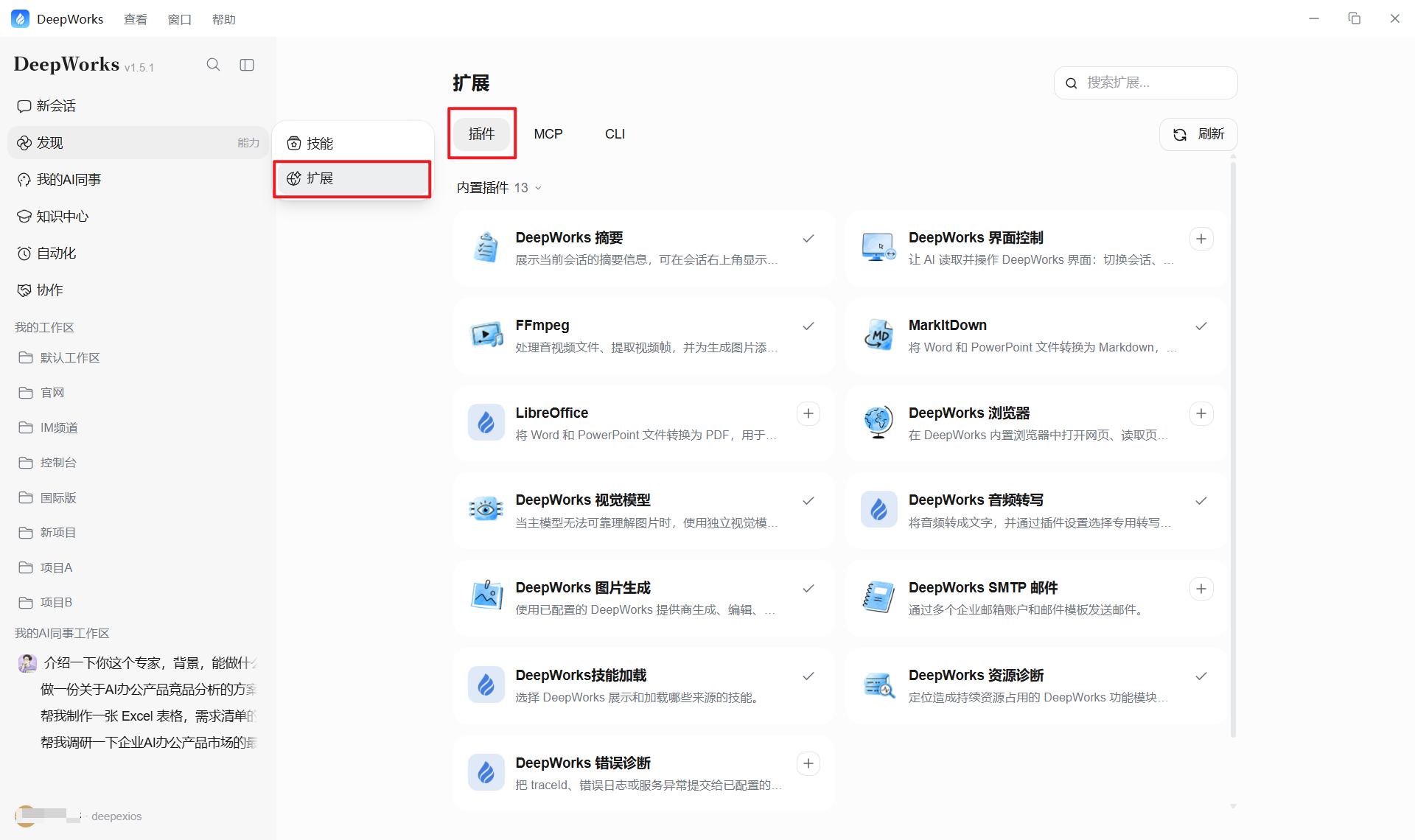
Common scenarios
-
Browser automation and web information processing.
-
Reading design files, collaborating, and connecting to design tools.
-
Code editing, testing, and project collaboration.
-
Processing documents, spreadsheets, presentations, and other office files.
Usage recommendations
Before installation, confirm the plugin source, feature scope, and required permissions. Enable a plugin only when a task requires it, and avoid granting unnecessary access.
CLI
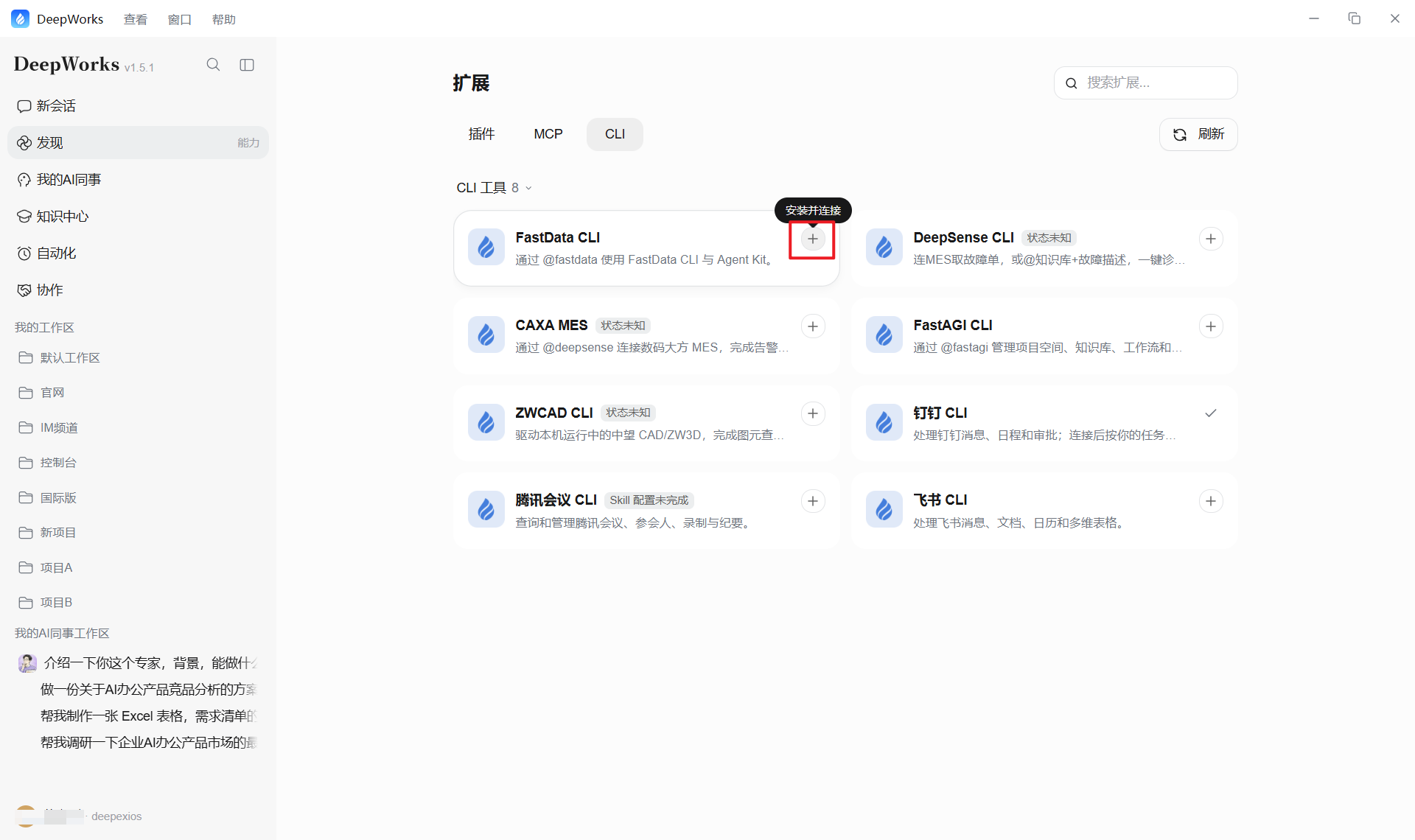
A CLI, or command-line tool, connects external platforms so DeepWorks can call the corresponding service based on a natural-language task. On the CLI page, users can review the tool purpose, install required components, authorize their account, and check availability. They can then describe tasks directly in a conversation.
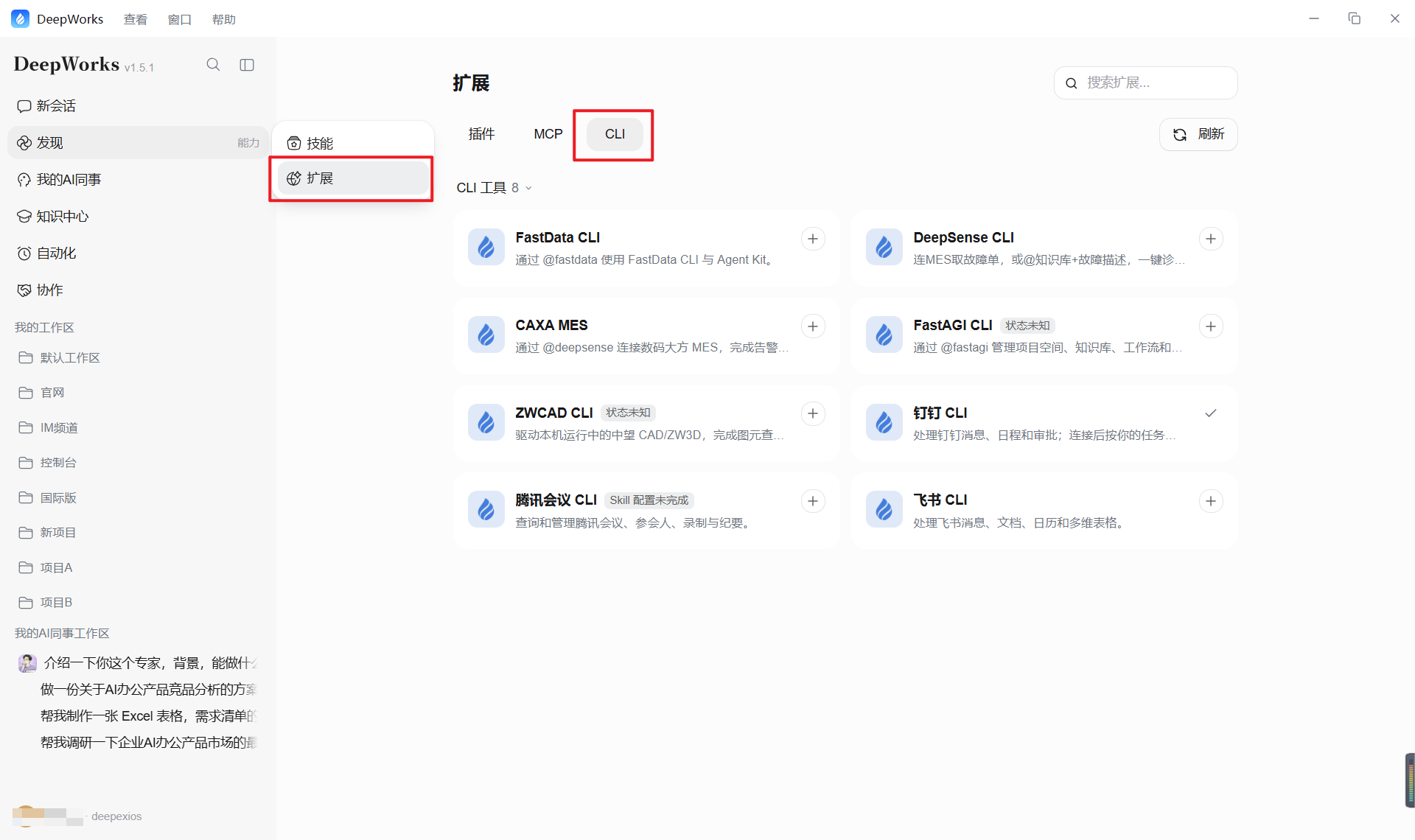
Common scenarios
-
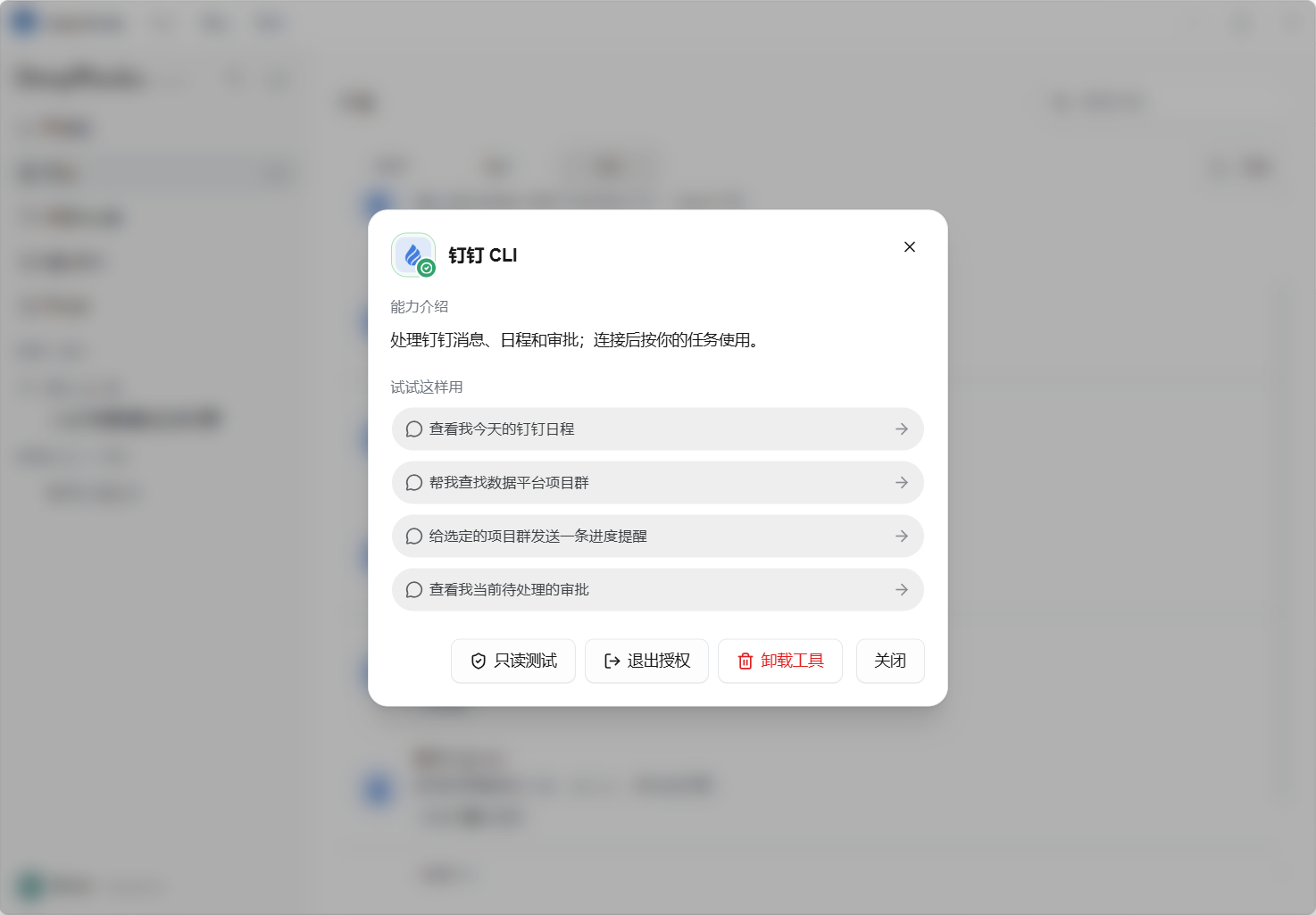
DingTalk CLI: work with DingTalk messages, calendars, and approvals.
-
Feishu CLI: work with Feishu messages, documents, calendars, and Base.
-
Tencent Meeting CLI: query and manage meetings, participants, recordings, and minutes.
How to use
- Open the CLI tab, choose the CLI you need, and select Install and Connect. DeepWorks completes the installation automatically.
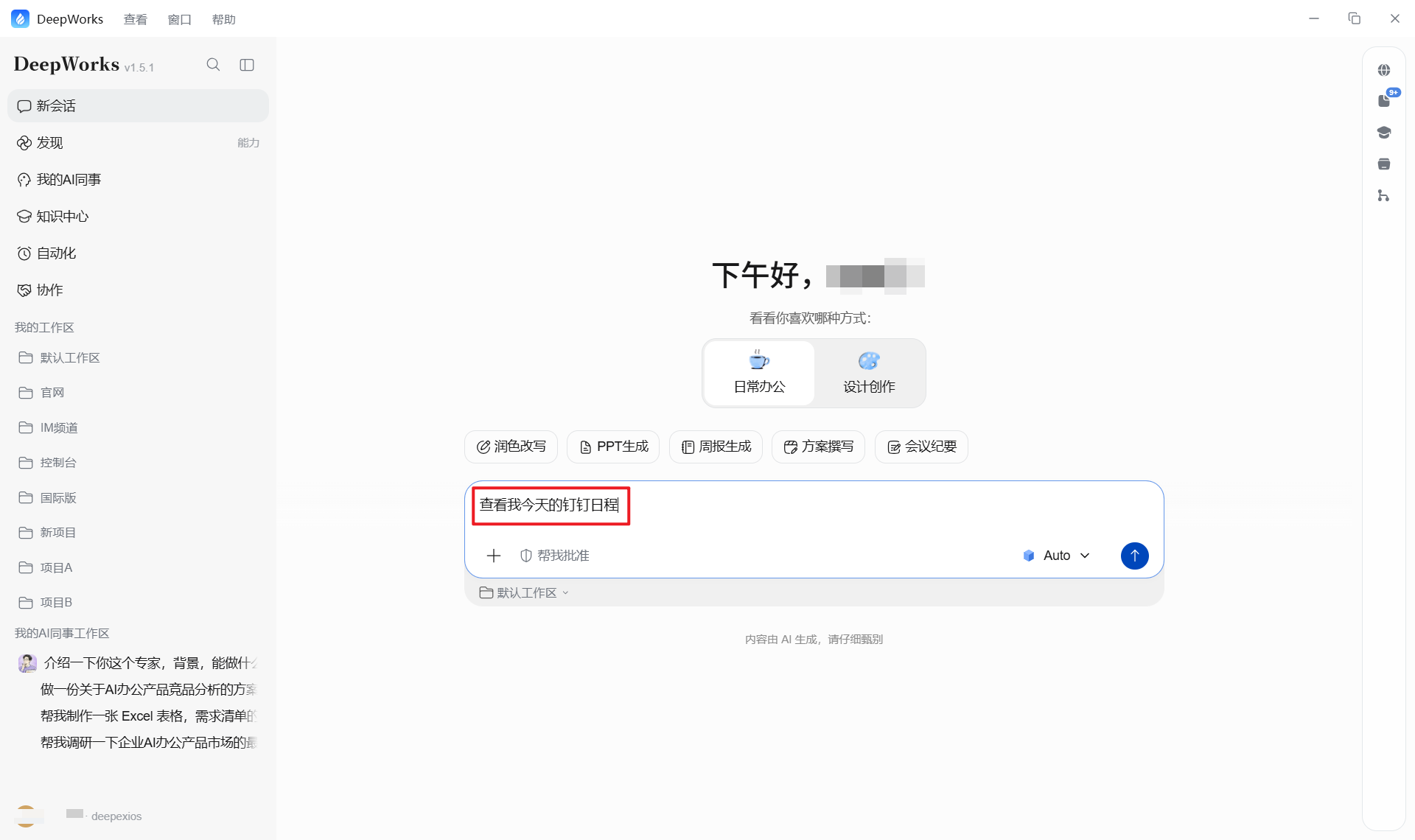
- After installation, create or open a conversation in a workspace and describe the task in natural language. You do not need to enter CLI commands manually.
- Select a CLI to view its details, run a read-only test, revoke authorization, or uninstall the tool.